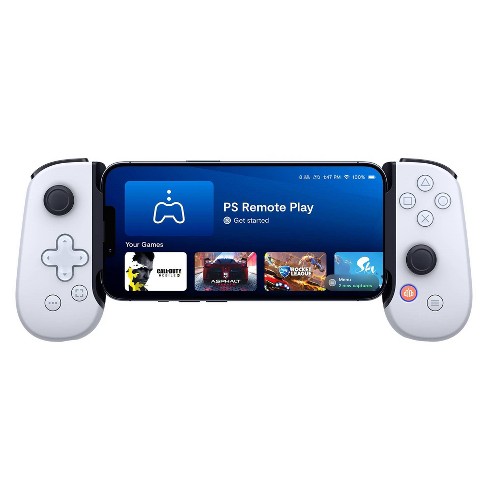
The Evolution of Gaming Controllers: From Joysticks to Joypads
The journey of gaming controllers has been a fascinating one, marked by significant advancements in technology and design. It all began with the humble joystick, an innovative device that emerged in the early days of arcade gaming. These devices were primarily used for controlling the direction of movement in games and featured a simple one-axis movement system. Joysticks laid the groundwork for future controller designs, allowing gamers to experience a more interactive platform. As technology progressed, buttons were added to joysticks, giving players more control over their gaming experience and paving the way for the development of more complex controllers.
With the evolution of home consoles in the 1980s and 1990s, the introduction of joypads revolutionized the way we play. These controllers offered a more ergonomic design, integrating multiple buttons for various functions and incorporating the iconic directional pad (D-pad) for more precise navigation. Features like vibration feedback and wireless connectivity started to emerge, enhancing the overall gaming experience. The transition from joysticks to joypads not only transformed gaming accessibility but also broadened the range of genres and gameplay styles, making gaming more enjoyable for a wider audience.
Top 10 Joypad Tips for Enhanced Gaming Performance
Enhancing your gaming experience involves more than just choosing the right games and consoles; it also requires an understanding of how to make the most out of your joypad. Here are 10 essential tips that can help you elevate your gaming performance:
- Customize your controls to suit your play style.
- Regularly update your joypad's firmware for the best performance.
- Clean your joypad to ensure optimal button response.
- Utilize programmable macros for complex actions.
- Check the response time and input lag of your joypad.
- Consider using a wired connection for reducing latency.
- Experiment with different grip styles for comfort.
- Use thumb grips for better control during fast-paced games.
- Calibrate your joypad settings within your gaming software.
- Explore third-party software for enhanced customization.
Implementing these joypad tips can significantly enhance both your gaming performance and enjoyment. Whether you're a casual gamer or a competitive player, each suggestion can make a noticeable difference. Remember, it’s not just about the joypad itself but also how well you can adapt it to your unique gaming preferences and play style. Maximize your control, reduce any unwanted input delays, and enjoy every moment of your gaming adventures!
How to Choose the Perfect Joypad for Your Gaming Style?
Choosing the perfect joypad for your gaming style requires careful consideration of several factors. First and foremost, understand your gaming preferences; whether you enjoy fast-paced action games, intricate puzzle-solving, or immersive RPGs, your choice should align with your specific needs. For instance, if you favor fighting games, a joypad with responsive buttons and a comfortable grip might enhance your performance. Additionally, researching brand reputation and user reviews can provide valuable insights into the reliability and functionality of various models.
Next, consider the compatibility of the joypad with your gaming system. Many joypads are designed for specific platforms, so make sure the one you choose is compatible with your console or PC. Furthermore, take into account the layout and ergonomics of the joypad. A well-designed controller can significantly improve your gaming experience, reducing fatigue during long sessions. Test out different options if possible, and choose a design that fits comfortably in your hands to ensure you can game for hours without discomfort.