Mastering Crosshair Placement: The Key to CS2 Aim Training Success
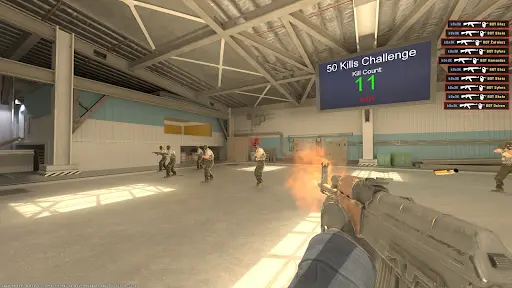
Mastering crosshair placement is one of the most crucial aspects of aim training success in CS2. It serves as the foundation of your shooting accuracy and reaction time. Players often overlook this fundamental skill, focusing instead on flick shots or rapid-fire techniques. However, understanding where to position your crosshair can significantly enhance your ability to respond to enemy movements. By keeping your crosshair at head level and pre-aiming at common angles, you will reduce the time taken to adjust your aim, allowing for quicker and more effective shots during engagements.
To improve your crosshair placement, consider the following key tips:
- Practice regularly in aim training maps or scenarios that simulate real match conditions.
- Adjust your crosshair style and color to increase visibility during gameplay.
- Analyze your gameplay videos to identify areas where your crosshair could have been better positioned.
Counter-Strike is a popular first-person shooter game that has captivated players worldwide for decades. It involves team-based gameplay where players can choose to be terrorists or counter-terrorists, engaging in various missions such as bomb defusal or hostage rescue. Many players seek to customize their gaming experience, and a common query is how to copy crosshair settings from other players to enhance their aim and performance.
Top 5 Aim Training Exercises for CS2: Improve Your Precision
When it comes to enhancing your gameplay in CS2, mastering aim is a crucial aspect that can set you apart from other players. Here are the Top 5 Aim Training Exercises for CS2 that will significantly improve your precision:
- Dynamic Crosshair Tracking: This exercise involves tracking moving targets to improve hand-eye coordination. Set up a custom game with moving bots and focus on keeping your crosshair on them as they strafe.
- Flick Shots: Perfect your flick shots by utilizing aim training software like Aim Lab or Kovaak's. Create scenarios where you must quickly aim and shoot at static or moving targets.
- Spray Control Drills: Understanding recoil patterns in CS2 is vital. Spend time spraying at a wall to see where your shots land, and practice controlling the spray during live matches.
- 1v1 Situations: Engage in 1v1 duels with friends or bots to practice quick reactions. This will help improve your reaction time and overall aiming precision.
- Deathmatch Mode: Regularly participating in Deathmatch matches will give you real-time experience in tracking, quick aiming, and map awareness. Focus on headshots to maximize impact.
Why Your Sensitivity Settings Matter: Achieving Perfect Aim in CS2
In competitive gaming, particularly in CS2, achieving perfect aim is paramount for success. One of the most crucial aspects often overlooked by players is their sensitivity settings. A well-adjusted sensitivity can mean the difference between hitting that crucial headshot and missing entirely. Many players default to standard settings without realizing that these can drastically impact their accuracy and responsiveness. Understanding how to fine-tune your sensitivity settings can help you attain better control over your aim, allowing for more precise movements and quicker reactions during intense gameplay.
To find the ideal sensitivity for your style, start by experimenting with different levels. You can utilize aim training maps within CS2 or external tools to gauge how various settings affect your performance. Additionally, consider implementing a consistent practice routine, focusing on aspects such as tracking, flick shots, and recoil control. Over time, you'll develop a sense of what feels comfortable and effective for you. Remember, your sensitivity should enhance your ability to aim, not hinder it; adjust accordingly and watch your skills improve.